Extension Sync
- Sync messages with the Cooby browser extension while you use WhatsApp Web.
- Organize your inbox with tabs and keep customer conversations within reach.

Track conversations across your WhatsApp numbers, let teammates reply, and connect customer activity to HubSpot or Salesforce. Choose Extension Sync, Cloud Sync, or WhatsApp Business API to fit how your team works.

All three bring messages into Cooby’s Conversations tab. You can view chats without a CRM, and connect a CRM when you need customer activity in your sales workflow.
Extension Sync and Cloud Sync track conversations. WhatsApp Business API also enables team replies, subject to workspace permissions and Meta’s messaging rules.
Compare connection methods →HubSpot and Salesforce have distinct workflows. Choose the integration that matches your CRM; record types and available actions differ.
Sync WhatsApp conversations to HubSpot and keep customer records up to date.
Create and edit contacts, and create HubSpot tasks, notes, deals, and tickets from WhatsApp Web.
Explore HubSpot integration →Log WhatsApp activity in Salesforce and use it in your team’s reporting.
Create and link leads or contacts, view customer information, create tasks, and check Salesforce opportunities from WhatsApp Web.
Explore Salesforce integration →You can also use Cooby’s Conversations tab without connecting either CRM.
Give your team visibility across customer conversations, whether you work in WhatsApp Web, on mobile, or across shared business numbers.
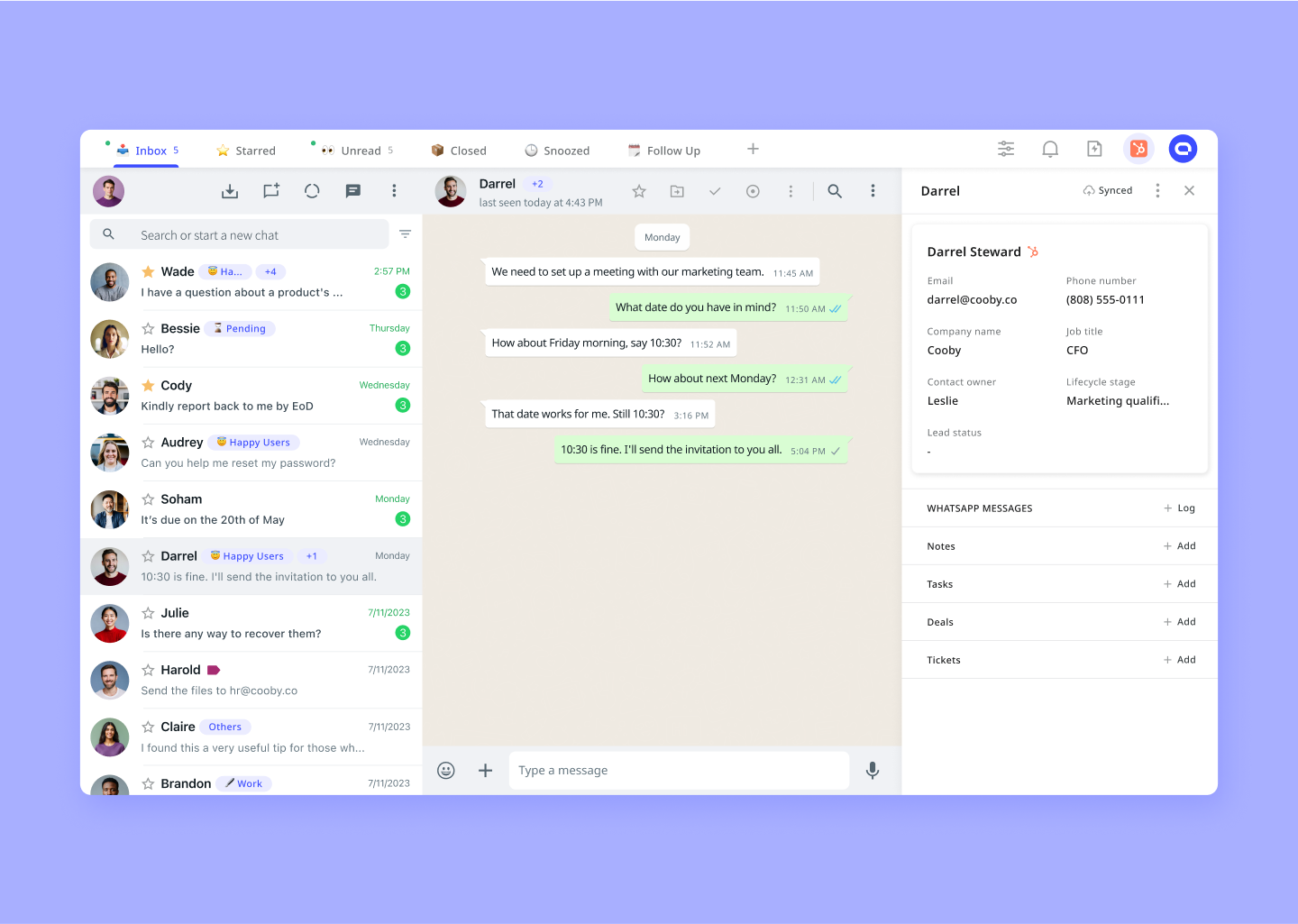
HubSpot integration shown. Salesforce has its own integration and record actions.

"Using WhatsApp for outreach can be a bit inconvenient and time demanding. Cooby addresses some of those challenges. I'm definitely significantly more productive with it and that payed back nicely."

Starter, Growth, and Custom include Extension Sync, Cloud Sync, and WhatsApp Business API. Compare message allowances and CRM integration availability on the pricing page.
Compare plans and integrations